Solo, Hold to Listen and Delta
Solo isolates a band’s frequency range, and Hold to Listen solos it while you hold and sweep. Band Delta plays what one band adds or removes; Global Delta plays the processing difference for the whole plugin.
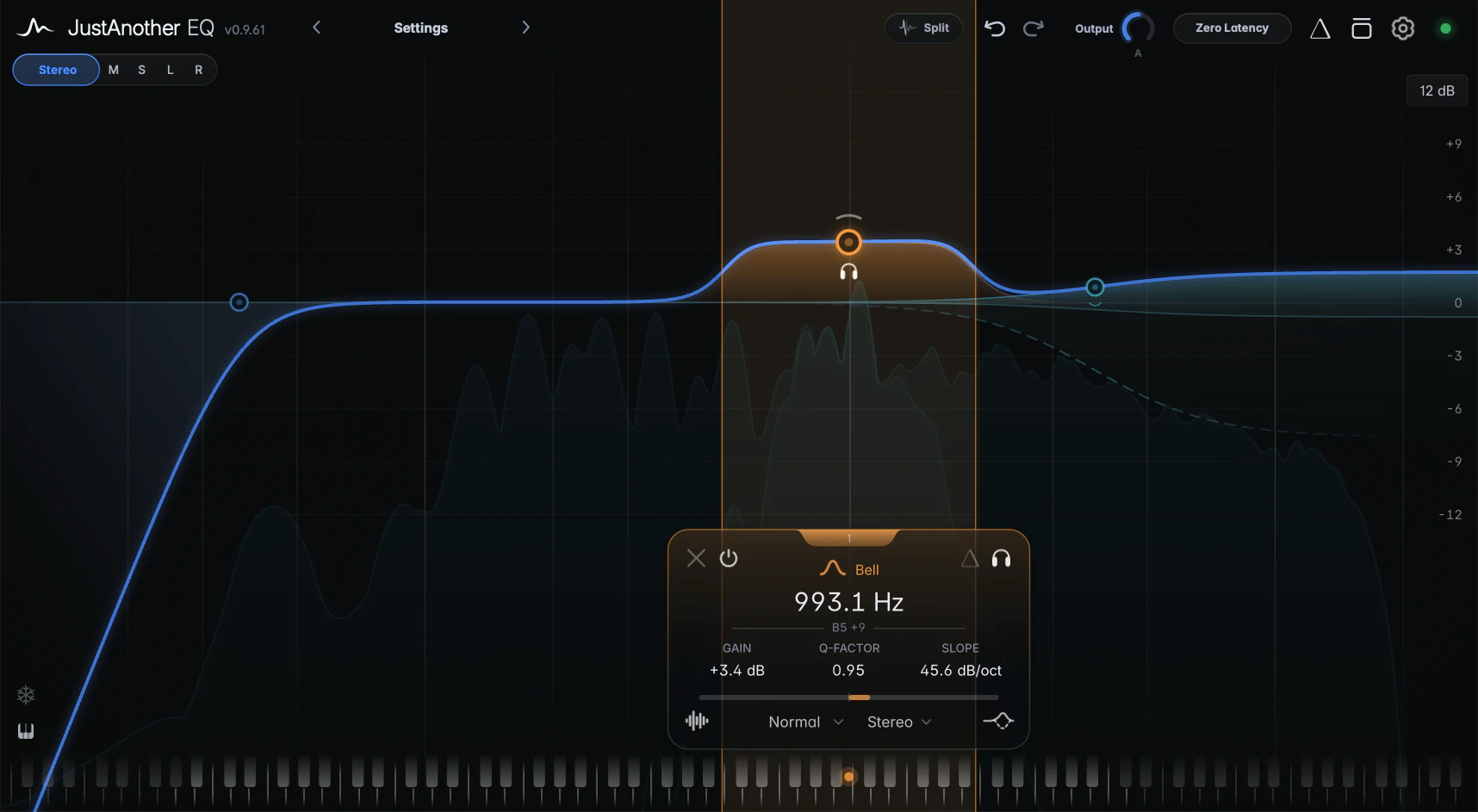
Solo
Click the Solo Band button, the headphones icon at the top right of the band card, to hear the range the band works on; click again to stop. Solo stays on while you keep editing.
Solo is a listening aid for finding the right area, not a preview of the band’s effect. You hear the incoming signal filtered to the band’s area, whatever its gain: around the frequency for a Bell, Notch or Band Pass, below or above it for a shelf, and the part being removed for a cut. It follows the band’s channel, its Transient or Body layer, and on a tracked band, the tracked frequency.
Solo works on one band at a time, and isn’t available on Tilt Shelf and Flat Tilt, which have no single range to isolate, or on All Pass, which doesn’t change the level. Click empty graph space to end it.
Hold to Listen
A selected band shows a small headphones icon next to its node. Press and hold it to solo the band, and drag sideways to sweep; let go and monitoring stops. To find a resonance, give a Bell a high Q, hold and sweep, then release and adjust the gain.
Band Delta
The Band Delta button, left of Solo on the band card, plays only what this band adds or removes, including its dynamics and saturation. Use it to check whether a vocal cut removes more of the body than intended.
Global Delta
The Delta icon in the header, left of the Bypass icon, plays everything the EQ, dynamics and saturation add or remove. Output and Auto Gain are left out, so a pure level change doesn’t count as a difference. The icon turns orange and a DELTA notice appears on the graph.
One at a time
Solo, Hold to Listen, Band Delta, Global Delta, Channel Listen, split listen and sidechain listen share one monitoring path: switching one on switches off the one that was running. While a band Solo or Band Delta is on, you can’t bypass bands.
Notes
- Closing the plugin window ends monitoring. To keep listening with the window closed, switch off Auto-Dismiss Monitoring in Settings. Sidechain listen always stops when the window closes.
- Solo and Delta pause while the plugin’s Bypass is on, and clicking one of them switches Bypass off.