Zero Latency bands
In Linear Phase mode, most bands in JustAnother EQ join one linear-phase filter, but a few kinds of processing can’t work that way. Those bands keep their own zero-latency filters while the rest of your EQ stays linear phase, and a small icon next to the node tells you so. You can also move a Broadband dynamic band there yourself, so its dynamics react faster.
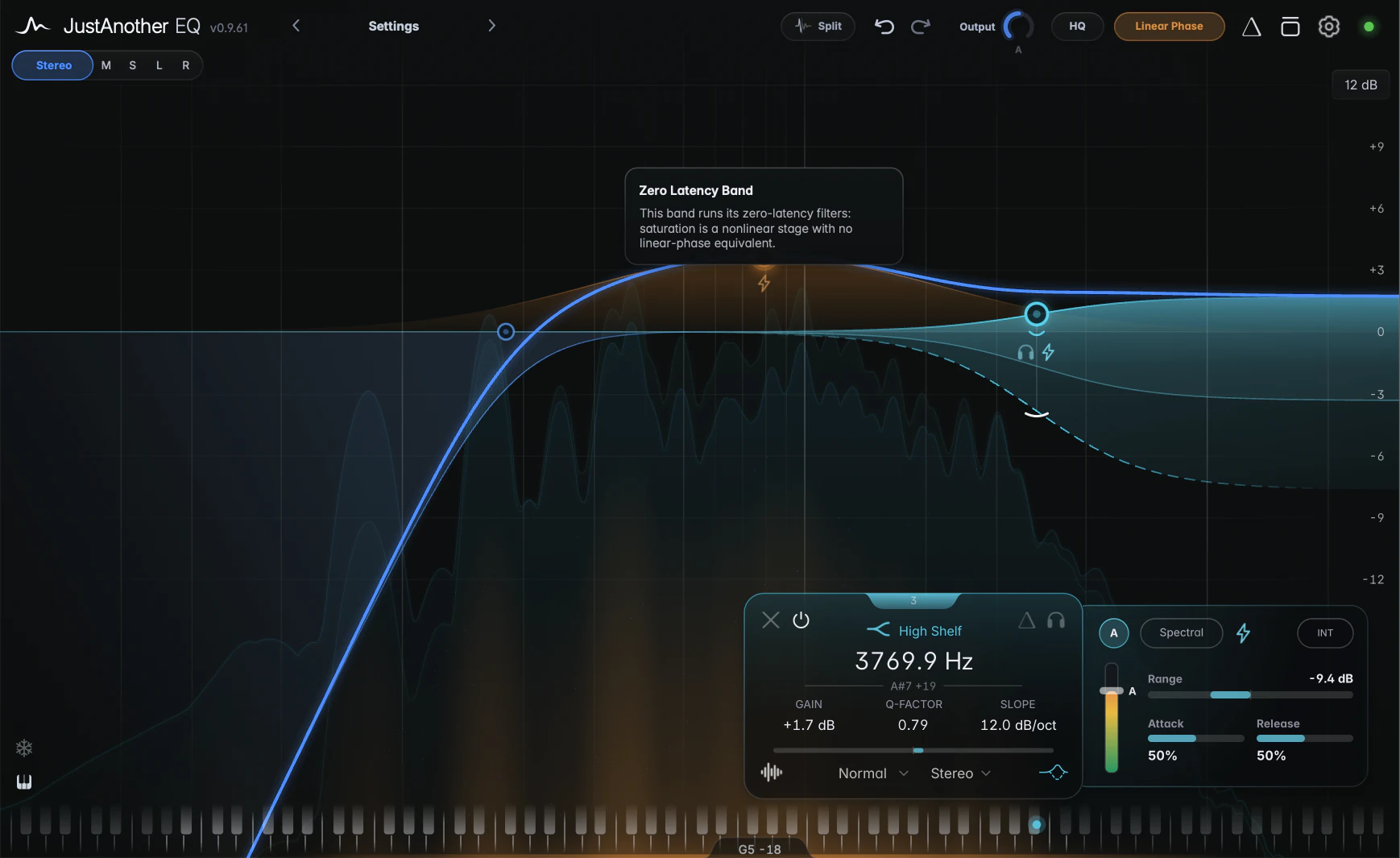
Which bands stay zero latency
- Transient or Body bands, because the split engine uses its own filters.
- Saturated bands, because saturation has no linear-phase equivalent.
- All Pass bands, because a linear-phase filter can’t shift phase.
- Pitch-Tracked bands, because their frequency moves faster than a linear-phase filter can follow.
- Broadband dynamic bands at Very High or Maximum Quality, because the long filter can’t follow their gain changes. Lower the Quality to High or below to bring them back.
- Broadband dynamic bands with the Zero Latency toggle on (see below).
Static bands and bands with Spectral dynamics stay linear phase. Leaving the linear-phase filter doesn’t add latency: the whole plugin stays time-aligned.
Each of these bands shows a small Zero Latency icon next to its node. With Show hints on, hover it to see why the band stays zero latency.
The Zero Latency toggle
In Linear Phase mode, a band with Broadband dynamics gets a Zero Latency toggle at the top of the Dynamics panel, right of the Spectral pill.
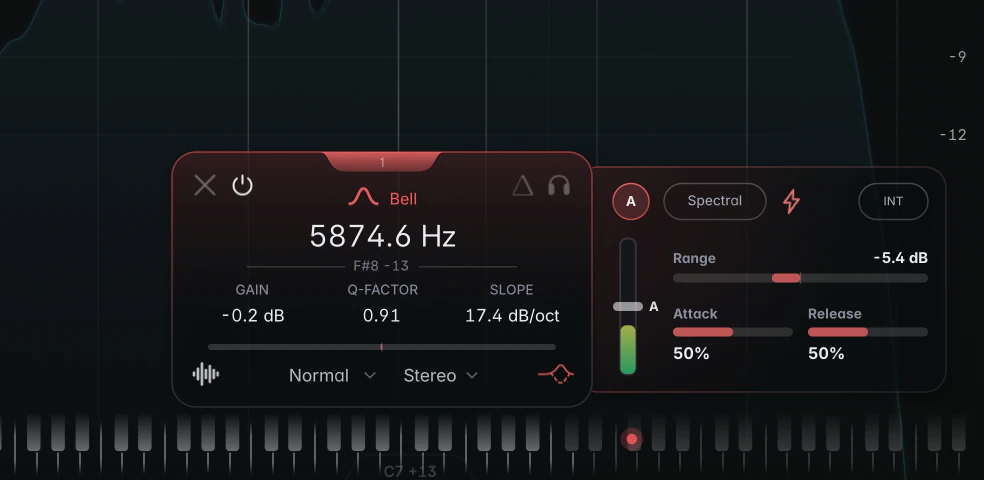
Click the toggle to run that band in zero latency for a faster dynamics response, while the rest of the EQ stays linear phase. This can be useful for a dynamic cut on a vocal resonance or a de-essing band.
If the band already stays zero latency for one of the automatic reasons above, the toggle is lit and locked; click it to see why. The toggle is saved with your session and in presets, but can’t be automated. It doesn’t change the latency.