Stereo placement
Every band in JustAnother EQ can process the full stereo signal or just Left, Right, Mid or Side. For example, a Side high-shelf boost changes the high end of the side signal without applying the same boost to Mid.
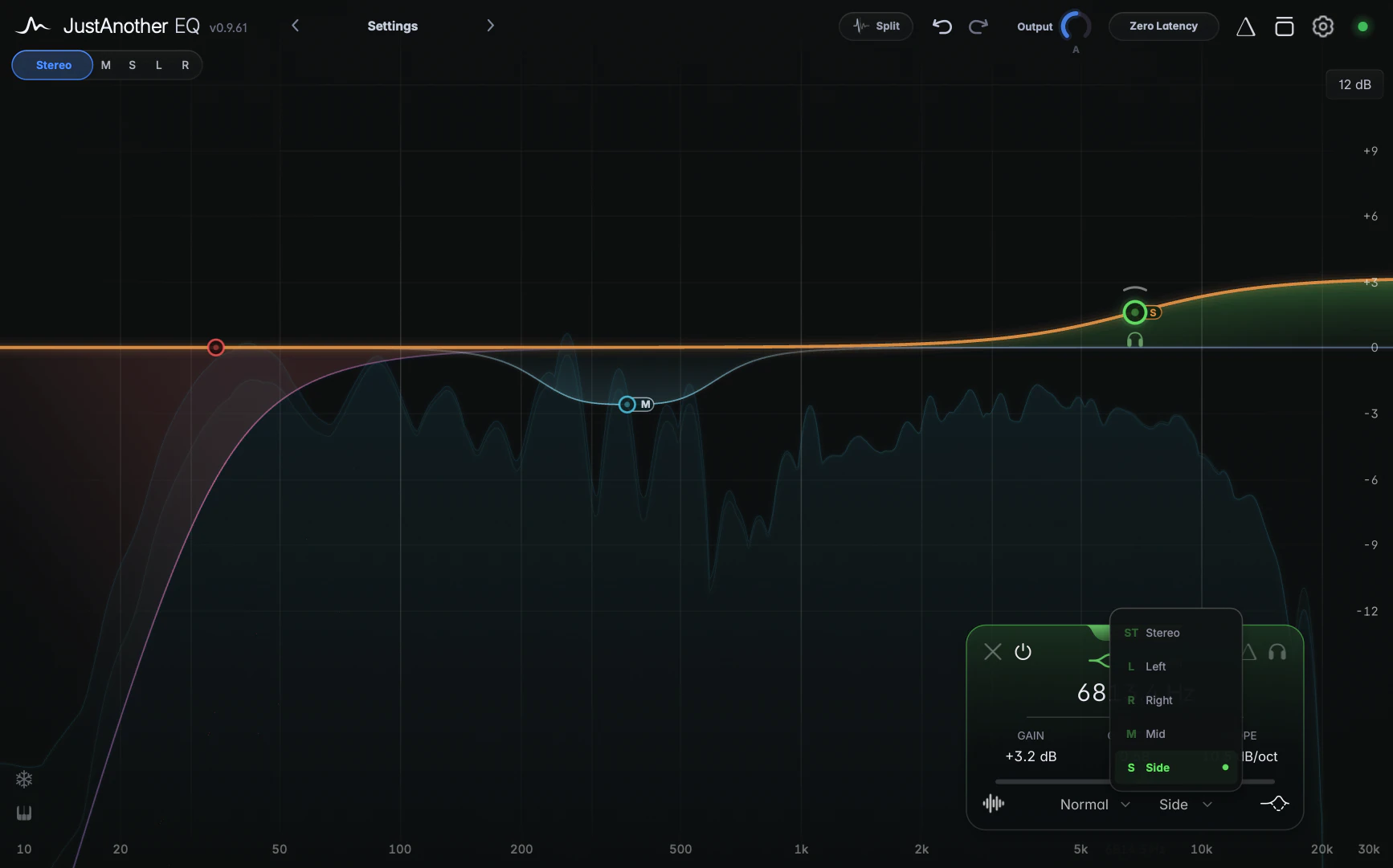
Choosing a band’s channel
Click the channel selector in the bottom row of the band card, or use the Channel submenu in a band’s right-click menu:
- Stereo (the default) processes both channels together.
- Left and Right process only that channel.
- Mid processes what the two channels have in common (the centre), and Side the difference between them (the width).
On the graph
A band on Left, Right, Mid or Side shows a small L, R, M or S tab beside its node. Each channel has its own colour (Stereo blue, Left teal-green, Right salmon-pink, Mid near-white, Side amber) and its own curve. A Mid cut and a Side boost appear as separate lines.
To work on one channel without disturbing the others, focus it in the header’s Channel Focus bar: new bands are created on that channel, and bands on other channels are dimmed and can’t be grabbed.
Tips
- Mirror in a band’s right-click menu builds matching pairs. Mirror a Side boost to create a Mid cut of the same amount at the same frequency. See Context menus and copy/paste.
- A band Solo follows the band’s channel, so soloing a Side band plays only the side content in its range.
Notes
- On a mono track the selector reads “Mono” and can’t be changed. Every band keeps its stored channel, so a stereo preset loaded and re-saved on a mono track still has its Mid/Side/Left/Right routing when you later load it on a stereo track.