Transient / Body split
The Transient / Body split lets any band process the whole signal or one of two layers: Transient (the attack: a stick hit, pick or consonant) or Body (the sustain, ring and tone that follow). For example, a 5 kHz boost on Transient changes the attack layer, while a 220 Hz cut on Body changes the sustain layer.
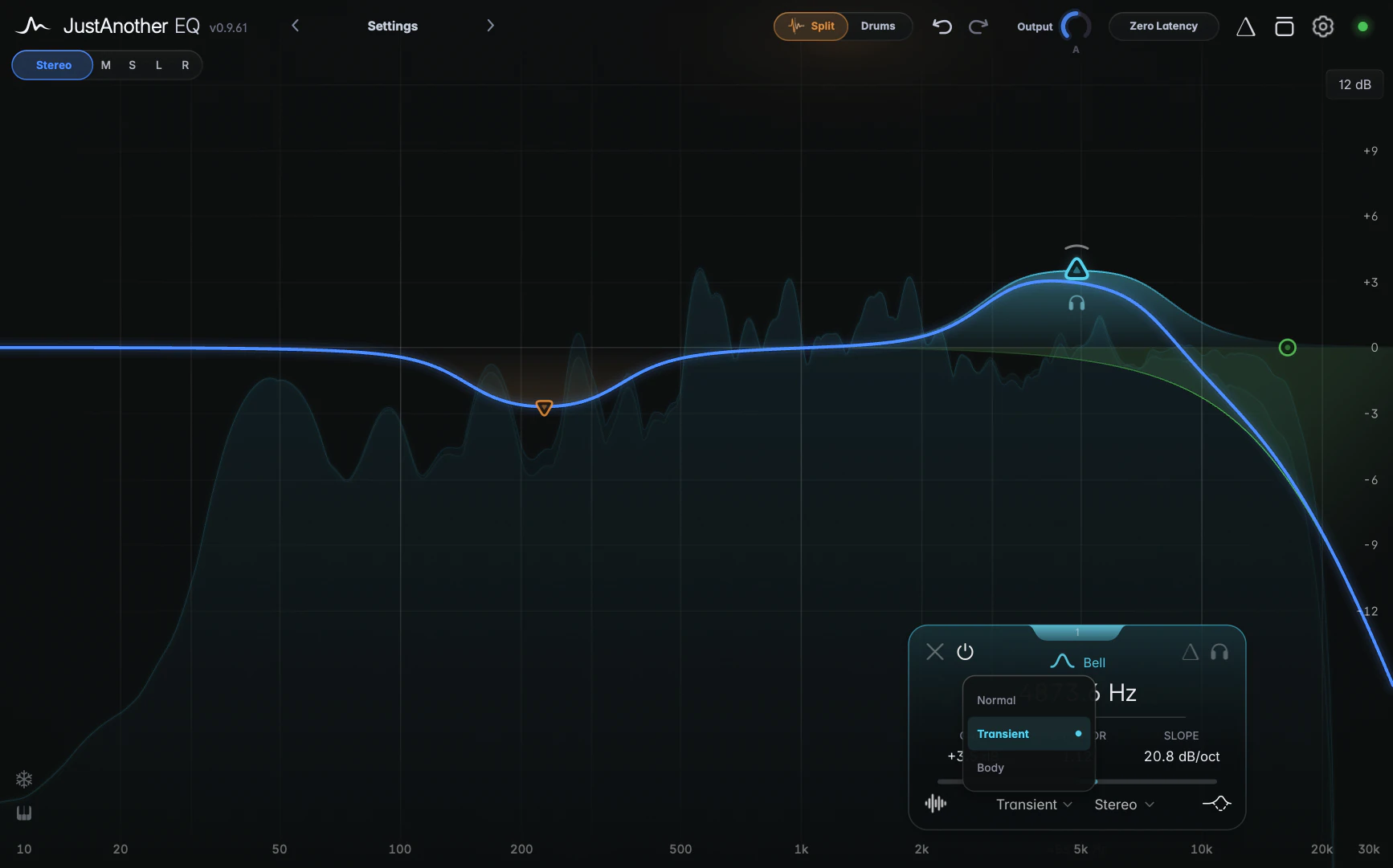
The two layers always add back up to the complete signal, so the split on its own doesn’t change the sound; only the EQ you put on a layer does. You decide what counts as an attack in Split Settings.
Choosing a band’s layer
Click the Signal Target dropdown on the band card (bottom row, left of the channel selector), or right-click a band and use the Split submenu:
- Normal (the default): the band processes the whole signal, like any EQ band.
- Transient: the band processes only the attack.
- Body: the band processes only the sustain.
The node shows the layer at a glance: a circle for Normal, a triangle pointing up for Transient and a triangle pointing down for Body. Signal Target works with every filter shape except All Pass.
How it works with other features
- Transient and Body bands process their own layer first; then the layers are mixed back together and the Normal bands process the result.
- A Transient or Body band’s Broadband dynamics and saturation also work on its layer only. A dynamic Body band therefore reacts to a ring that builds up after the hit, not to the hit itself.
- Spectral dynamics are the exception: on a Transient or Body band they act on the full signal of the band’s channel.
The Split button
The Split button in the header opens Split Settings. While any active band uses a Transient or Body layer, it turns amber and shows the current Split preset name, such as “Drums”.
Latency
The split adds about 93 ms of latency at 44.1 kHz, which your host compensates automatically. It shares its analysis stage with Spectral dynamics, so using both costs the 93 ms only once. The latency stays while a split band is bypassed; set it back to Normal or remove it to get rid of it. See Latency.
Tips
- Right-click a band and choose Mirror > Split to create a partner band on the other layer, with the gain inverted. A Transient boost becomes a paired Body cut, or vice versa. See Context menus and copy/paste.
- To hear a layer on its own, use split listen in Split Settings.
- Signal Target is saved with your session and in presets, but can’t be automated. To ride a split band during the song, automate the band’s on/off instead.